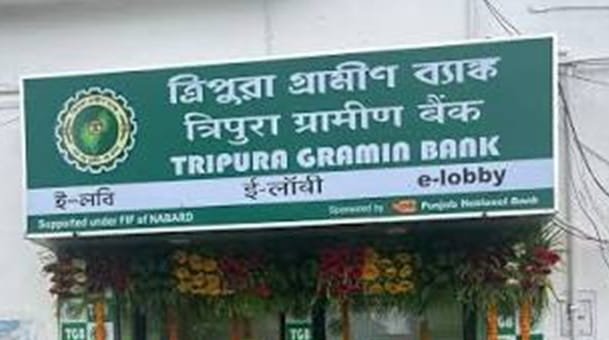
Tripura Gramin Bank (TGB) is a Regional Rural Bank serving customers across Tripura. The bank was established on December 21, 1976 under the Regional Rural Banks Act, 1976 and is sponsored by Punjab National Bank. Its Head Office is located at Agartala, and its area of operation covers all eight districts of the state.
TGB was created to extend organised banking and credit facilities to rural communities, farmers, small businesses and other priority-sector customers. The bank currently operates a network of 148 branches and provides savings and deposit accounts, agricultural and retail loans, RuPay debit cards, mobile banking, internet banking, SMS-based services and other digital banking facilities. Customers can use several remote banking channels to check balances and recent transactions without visiting a branch.
Tripura Gramin Bank Balance Check Number
Tripura Gramin Bank provides a missed-call balance enquiry facility for customers whose mobile number is registered with the bank account.
The Tripura Gramin Bank missed-call balance enquiry number is:
1800 202 3009
Give a missed call to this number from the mobile number linked with your TGB account. After the call is recognised, the bank sends the available account balance to the registered mobile number through SMS.
Recent banking support information continues to list 1800 202 3009 for Tripura Gramin Bank balance enquiry. A recent Tripura State Consumer Commission judgment also records the bank’s missed-call balance facility on the same number, written as 18002023009. Customers should use the registered mobile number when making the call.
Steps to Check TGB Balance by Missed Call
- Use the mobile number registered with your Tripura Gramin Bank account.
- Dial 1800 202 3009.
- Give a missed call and allow the call to disconnect.
- Wait for the bank’s response.
- Check the SMS received on the registered mobile number for the account balance.
If the balance message does not arrive, first confirm that the mobile number used for the call is the number currently linked with the account. Customers can also use TGB Mobile Banking, internet banking, SMS Banking, an ATM or customer support.
Tripura Gramin Bank Balance Check Through SMS
Tripura Gramin Bank also provides SMS-based banking services. Current banking support references list 8742900707 as the number used for TGB SMS Banking.
To request the account balance, type:
BAL ACCOUNT NUMBER
and send the SMS to:
8742900707
The message should be sent from the mobile number registered with the bank. After the request is processed, the balance information is returned through SMS. Standard SMS charges may apply according to the customer’s mobile plan.
Tripura Gramin Bank Mini Statement Through SMS
To receive a mini statement, type:
MINSTMT ACCOUNT NUMBER
and send it to:
8742900707
Current banking references list this command for obtaining recent account transactions. Customers should always send banking SMS commands only from the mobile number registered with TGB.
Tripura Gramin Bank Customer Care Number
For general banking support, Tripura Gramin Bank provides a toll-free customer support number.
Tripura Gramin Bank Toll-Free Number: 1800 180 7777
The bank has also published 1800 180 7777 in its own fraud-awareness communication as an official customer-care number.
The bank’s Head Office and IT Division are located at Abhoynagar, Airport Road, Agartala, Tripura – 799005. Customers who cannot use the missed-call or SMS service can contact customer support or their branch to check whether the registered mobile number and digital services are correctly enabled.
Never disclose an OTP, ATM PIN, CVV, UPI PIN, mobile banking password or internet banking password while seeking assistance.
Tripura Gramin Bank WhatsApp Banking
Current banking support information also lists 8742900707 as Tripura Gramin Bank’s WhatsApp Banking number.
TGB WhatsApp Banking Number: 8742900707
Customers can save the number and send “Hi” from the mobile number registered with the bank to access the available menu. Because SMS Banking and WhatsApp Banking use the same published number, customers should make sure they are using the correct channel and should never share an OTP, PIN or password in a chat.
Check TGB Balance Through Mobile Banking
Tripura Gramin Bank provides an official mobile banking service for retail customers. The bank’s mobile banking portal specifically lists account balance and account statement among the available services.
The service also supports self-transfer of funds, NEFT and IMPS. Customers can register by submitting the prescribed request at a bank branch, while eligible debit cardholders can also use the New Users option on the mobile banking login page.
The bank advises customers to contact the concerned branch if their registered mobile number changes or if a mobile device is lost so that mobile banking access can be updated or de-registered.
Check Tripura Gramin Bank Balance Through Internet Banking
Tripura Gramin Bank provides separate retail and corporate internet banking portals. Registered retail customers can log in through the official TGB internet banking page and access their account information online.
The internet banking portal identifies the default User ID as the Customer ID printed on the front page of the passbook. Customers should always access internet banking through the official Tripura Gramin Bank website and avoid login links received through unknown messages, emails or social-media posts.
Check Tripura Gramin Bank Balance at an ATM
TGB debit cardholders can check their account balance at an ATM. Insert the card, enter the ATM PIN and select the Balance Enquiry option. Where available, the Mini Statement option can be used to review recent transactions.
Always cover the keypad while entering the PIN and do not accept assistance from an unknown person at an ATM.
Check TGB Balance Through Passbook
Customers who prefer an offline record can update their passbook at a Tripura Gramin Bank branch. The passbook shows posted debit and credit entries together with the latest recorded account balance.
Website URL: tripuragramin.bank.in
FAQs
1. Why am I not receiving a balance SMS after giving a missed call?
The missed-call request should be made from the mobile number registered with the TGB account. If the number has changed or is not correctly linked, the bank may not be able to identify the account and send the balance response. Contact your branch or customer support if the problem continues.
2. Can I check a TGB balance by SMS without using mobile data?
Yes. The current SMS Banking format is BAL followed by the account number, sent to 8742900707 from the registered mobile number. This uses normal SMS rather than mobile data, although the telecom provider’s standard SMS charge may apply.
3. Is 1800 180 7777 the Tripura Gramin Bank missed-call balance number?
No. 1800 180 7777 is used for general customer support. The balance enquiry number currently listed is 1800 202 3009. Keeping the two numbers separate helps avoid confusion when you only want an automatic balance response.
4. What should I do if the SMS balance differs from my recent transactions?
Check the latest account activity through TGB Mobile Banking, internet banking, an ATM mini statement or an updated passbook. A recent transaction may still be pending or may have been posted after the balance message was generated. If the difference remains unexplained, contact TGB or visit the branch without sharing any OTP, PIN, CVV or password.